Recording attached to the scheduled lesson
The recording starts from a scheduled or selected lesson, so the resulting material has a clear student and teaching relationship.
Dance lesson recording app
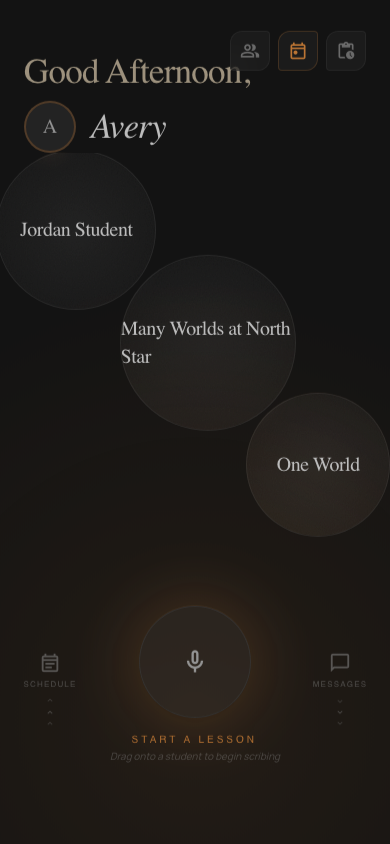
Start an authorized recording from the scheduled lesson, keep it attached to the correct student and continue teaching with simple recording controls.
What it solves
Confirm the lesson and consent, start recording, then return to teaching. After class, DanceScribe shows upload, processing and delivery status.
The recording starts from a scheduled or selected lesson, so the resulting material has a clear student and teaching relationship.
Start, pause and finish are reachable without navigating through a heavy administrative flow.
Recording artifacts and lesson materials only move into authorized relationships.
If upload or processing needs attention, the state remains visible instead of silently losing the lesson.
How it works
The upcoming student and recent focus are already in view.
Use the recording controls while the scheduled lesson remains open.
See upload, processing, recap delivery and any retry state.
Remember the whole lesson
Choose a Student, Instructor or Studio plan when you create your account.